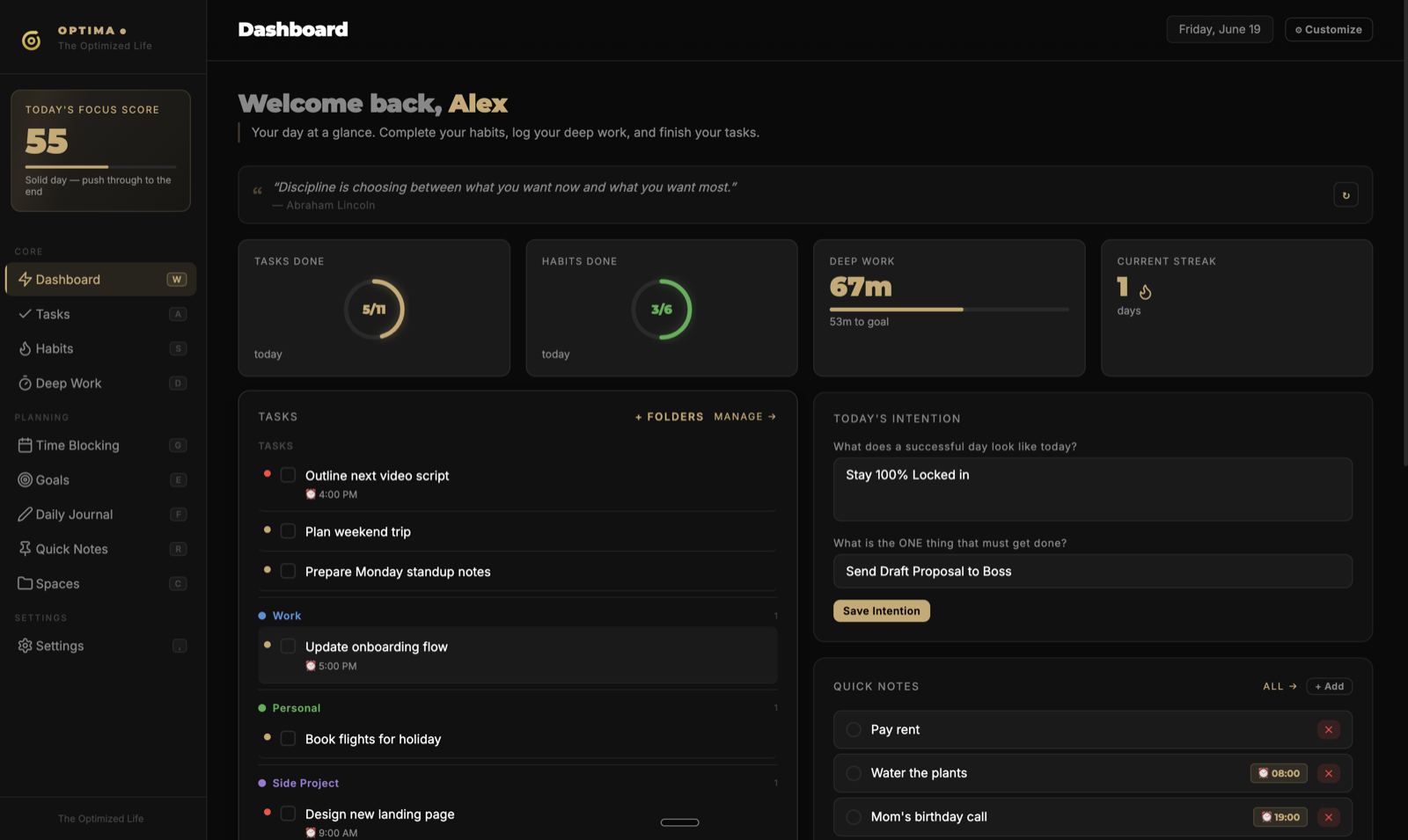
Tasks
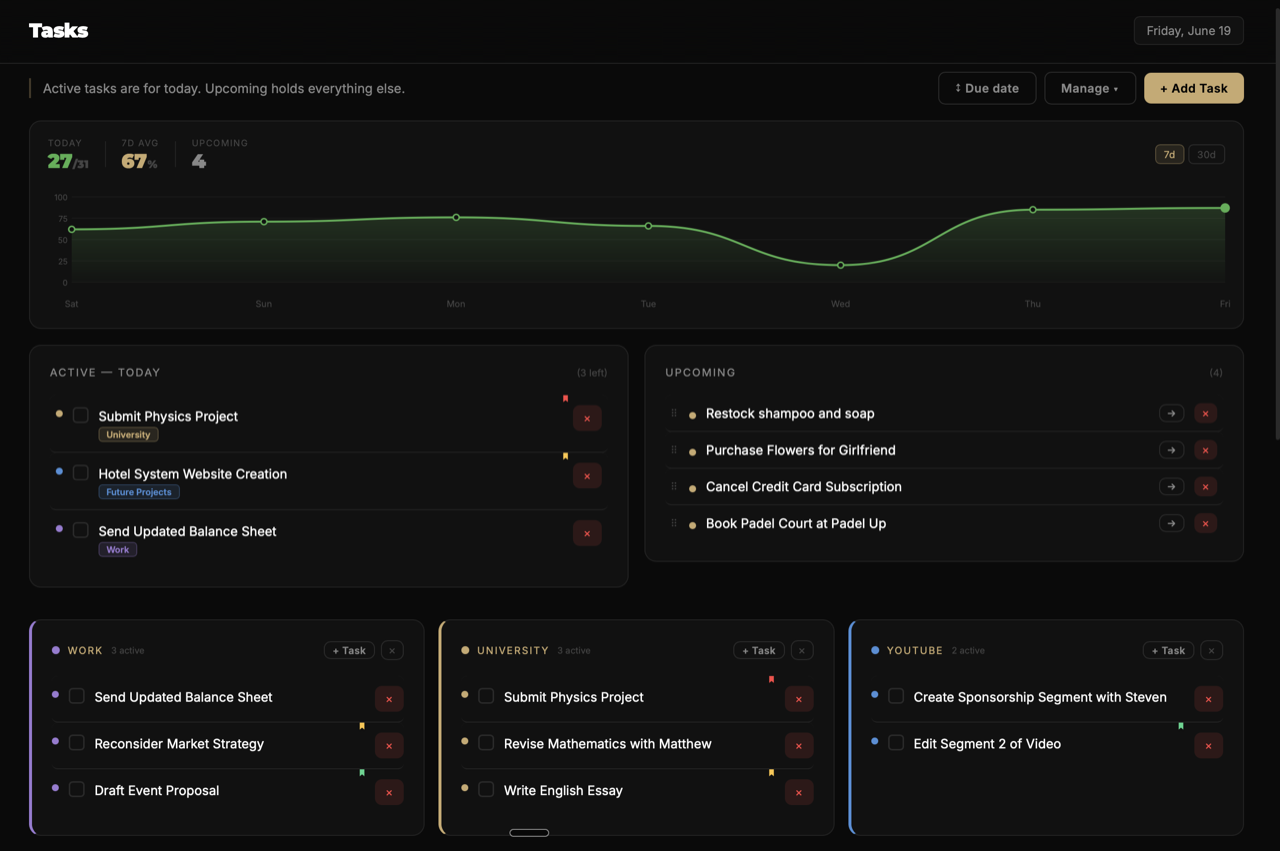
Drag what matters into today.
An Active / Upcoming split keeps today clean. Pull a task from any project folder into focus — same task, two places, done once.
- Active Today vs. backlog
- Drag from any folder
- Priority dots + manual order
Tasks, habits, deep work, goals, journaling and an infinite canvas — in one keyboard-first workspace. No tab-juggling. No subscription.
Join the waitlist
Launching soon on Mac & Windows · $19 at launch, pay once.
One window replaces your whole stack
Tasks, habits, focus, goals, journal and a canvas in one calm place — not scattered across a dozen apps and logins.
Keyboard-first, every section one keystroke away. Built to get out of your way, not to gamify your attention.
Pay once, keep it forever, data stays on your machine. No subscription, no renewal emails. Ever.
An Active / Upcoming split keeps today clean. Pull a task from any project folder into focus — same task, two places, done once.
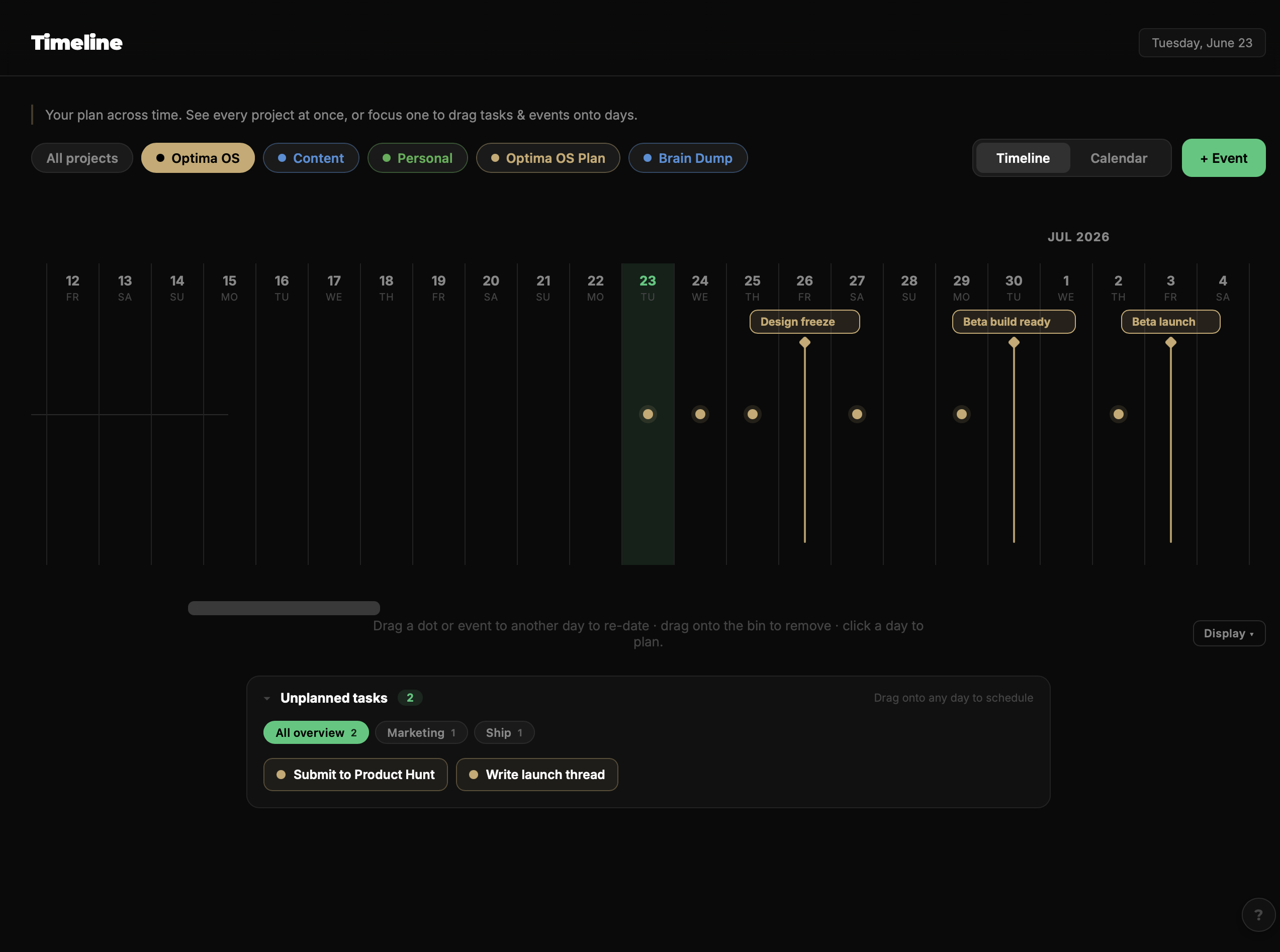
A reimagined way to plan: your projects laid across days, weeks and months — where planning stops being a list and becomes a picture. Drag tasks and events straight onto any day, then flip the same plan between a timeline and a calendar.
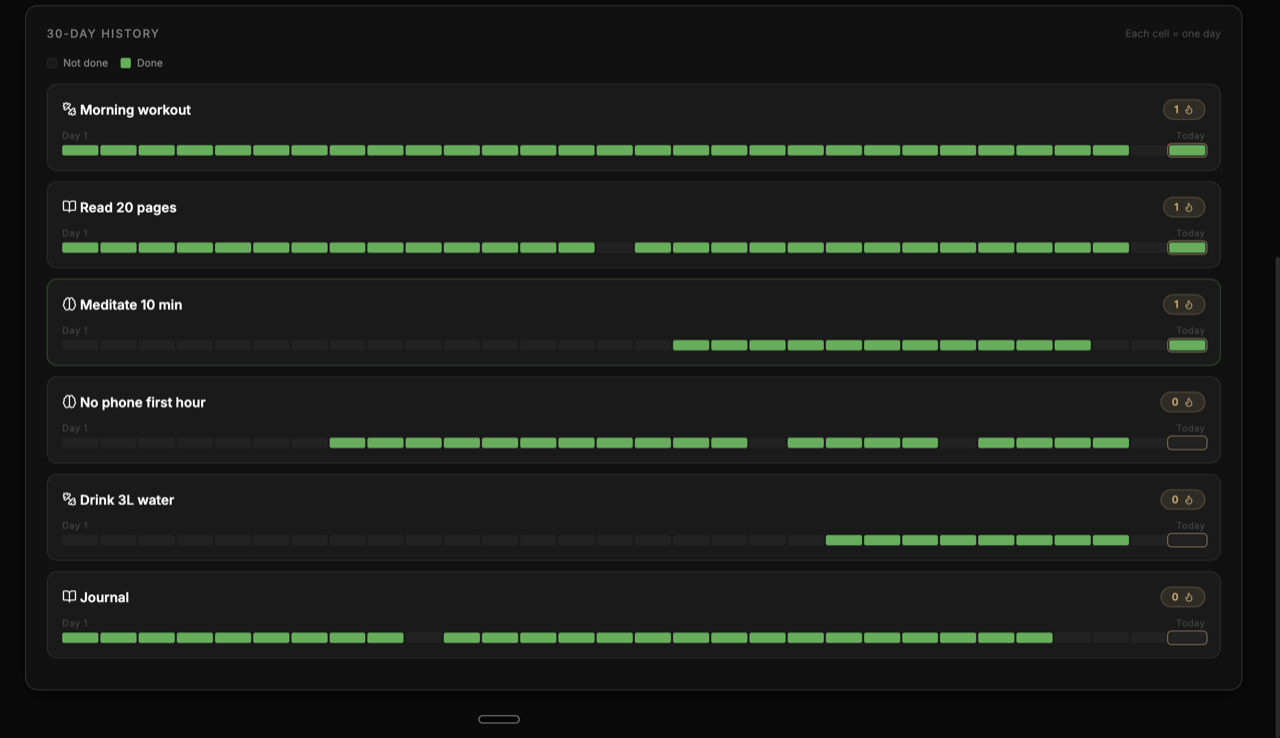
“Habits are the compound interest of self-improvement.” Build streaks with a flame that climbs — and a weekly Restore so one slip never breaks a 12-day run.
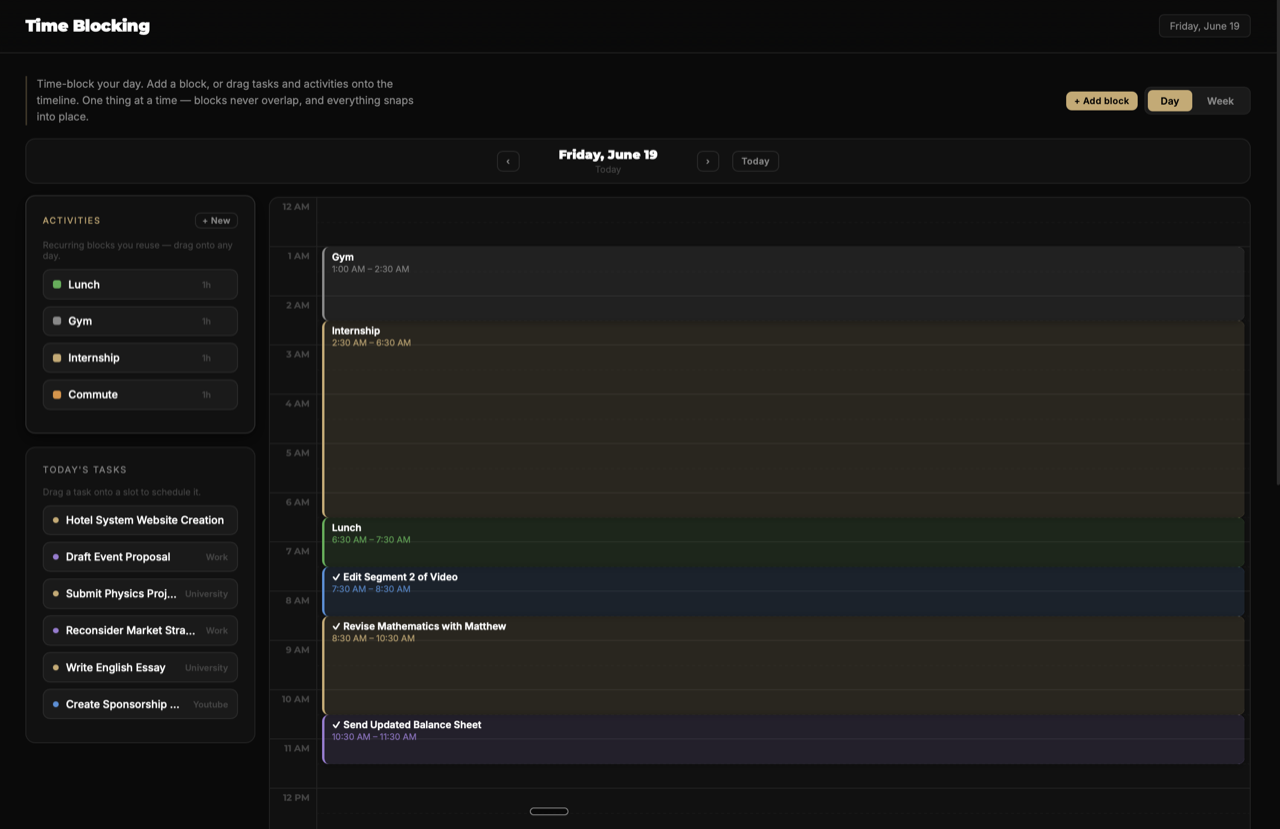
Plan when things happen, not just what. Drop reusable templates, tie blocks to tasks, and watch your day take shape.
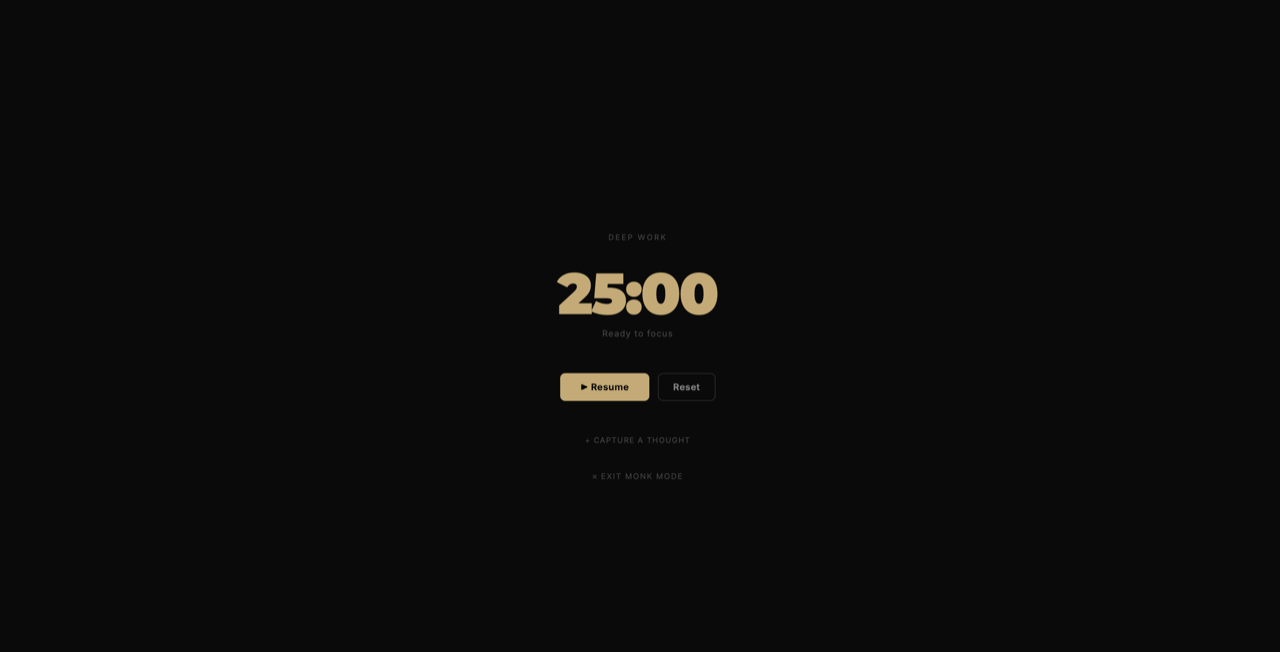
Run a focus session, rate it on a Poor→Peak scale, and log it. Monk Mode blacks out everything but the timer. The data shows when you really focus.
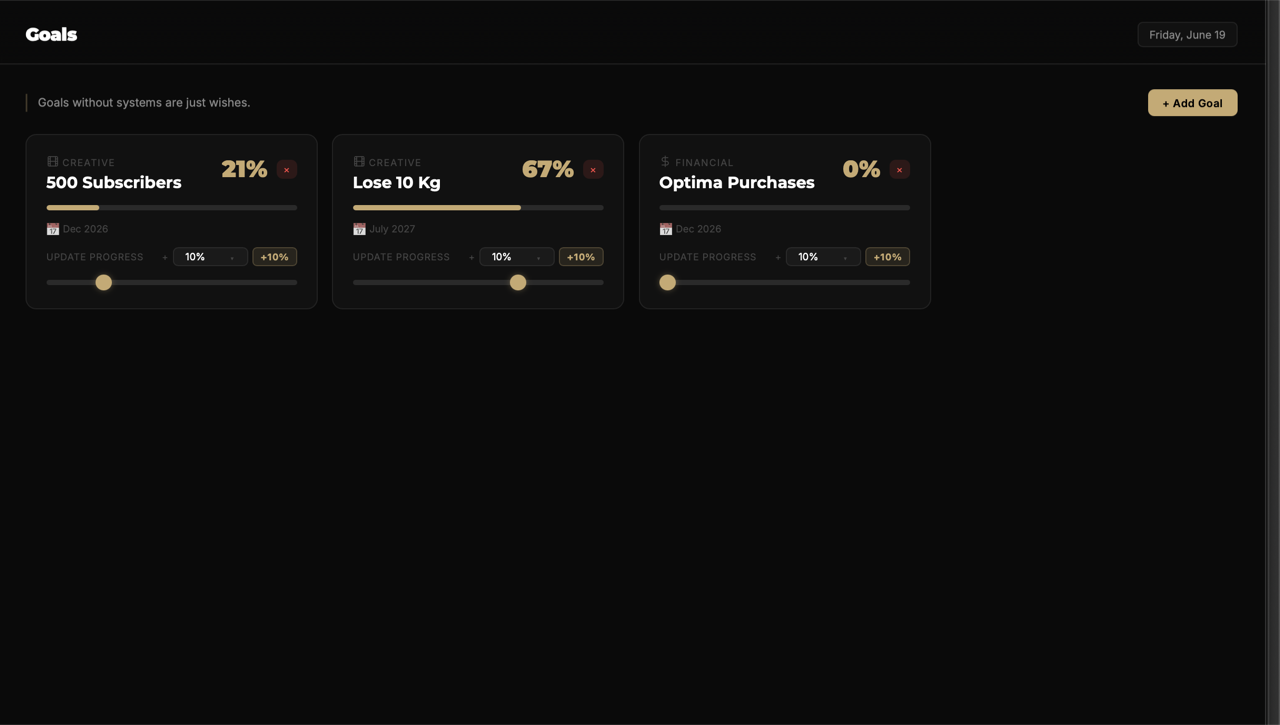
Track the objectives that take weeks or months. Nudge progress with a tap (+10%) or the slider, and watch the gold bar fill.
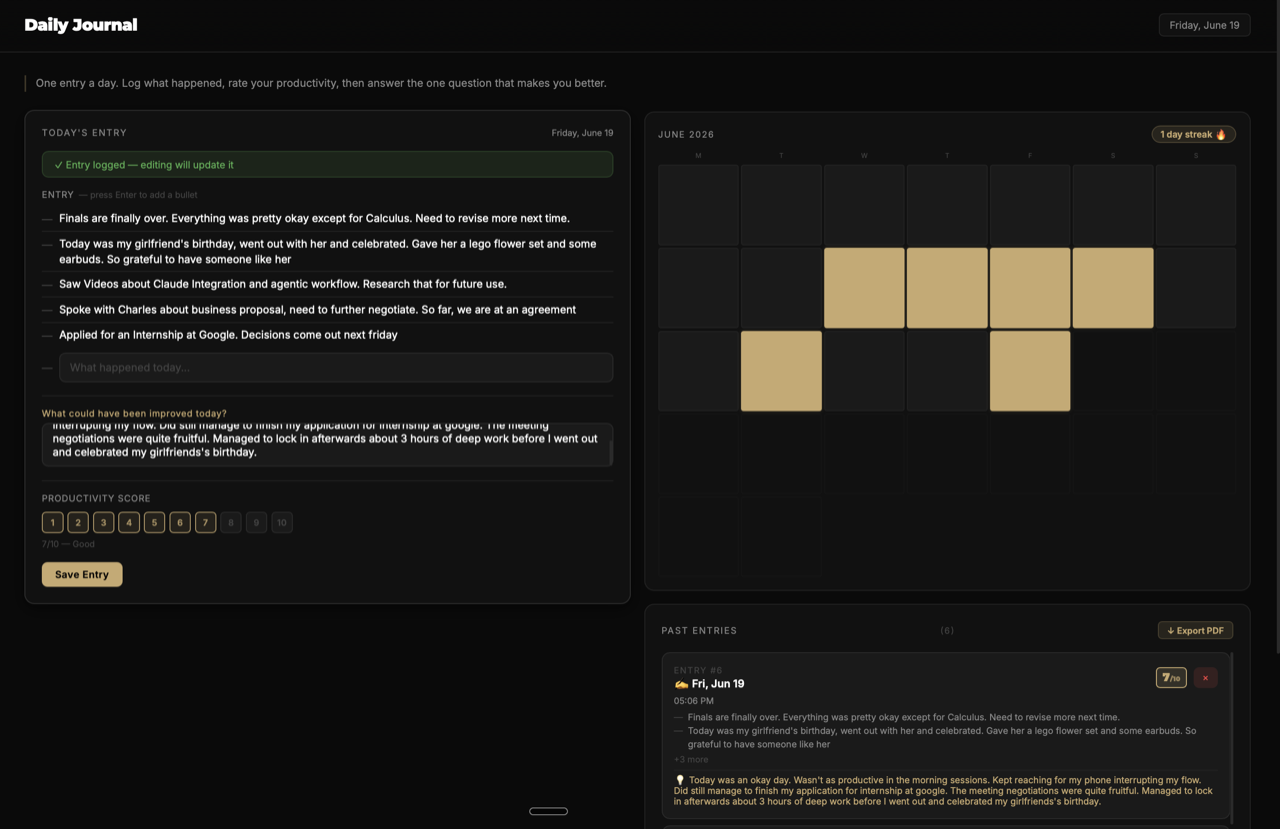
One entry a day: log what happened, rate productivity 1–10, then answer the one question that improves tomorrow. With its own writing streak.
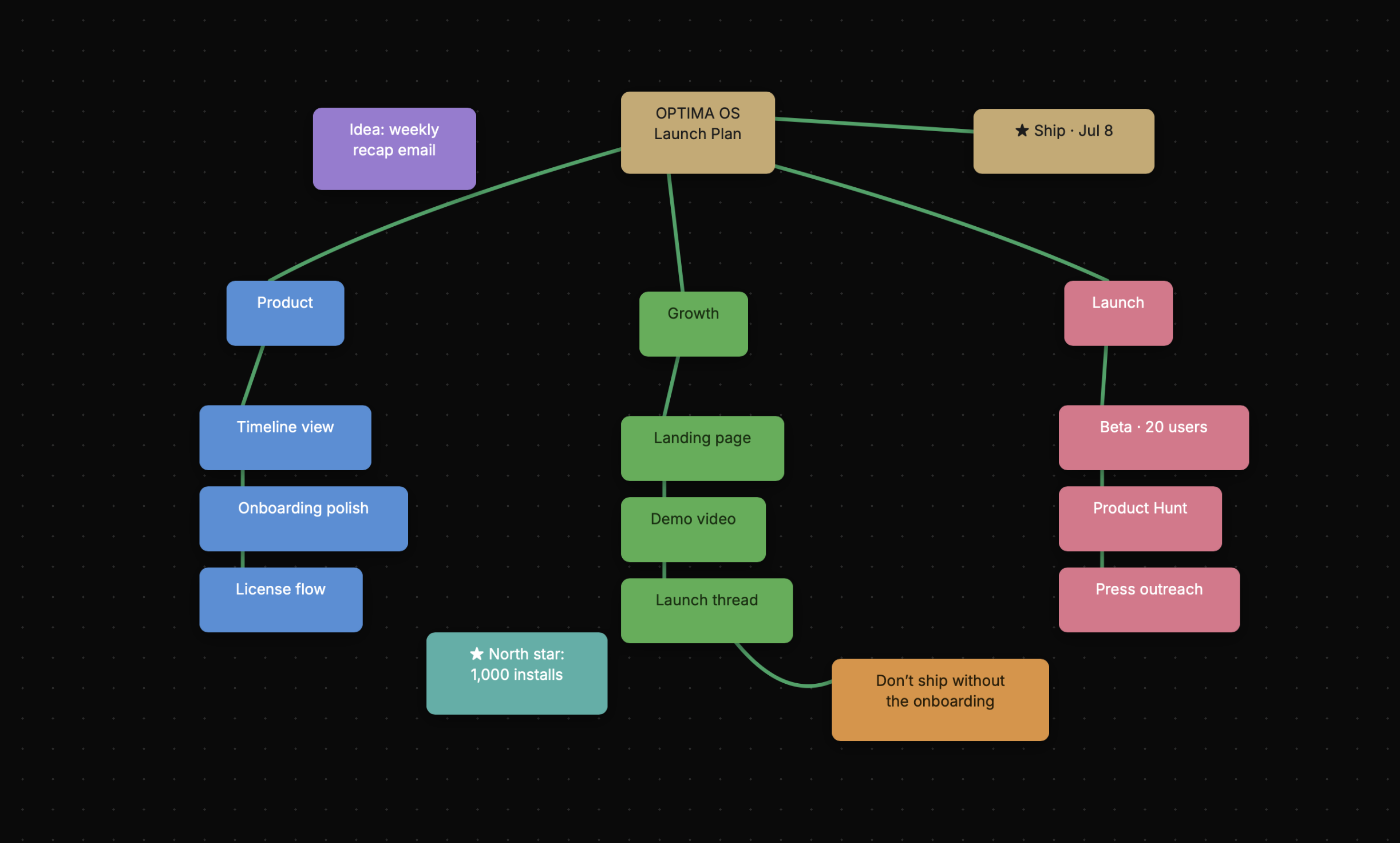
A fluid whiteboard in the spirit of Apple Freeform. Drop notes, connect ideas, sketch with the pen — then turn a planning canvas straight into your task list.
Swipe to explore · 1 of 8
Recolour the whole app — gold, blue, green, white. It cycles on its own; tap a swatch to lock it in.
Press a key — watch it light up.
All nine modules, fully unlocked, on Mac & Windows. Yours for one payment — every 1.0 update included.
An optional subscription add-on that plans your day, breaks down goals and drafts your journal. Separate from the app you buy — which stays yours forever.
Capture tasks, check habits, and review your day from your phone — synced with your desktop workspace.
Buy Optima now and the app is yours forever. The AI assistant and mobile app will arrive as optional additions — your one-time purchase is never affected.
Tell me you'd use it — every tap shapes what I build next.
“Optima's features are so underrated, especially the time blocking! I can't even remember my life before this app, it's helped me so much. Thank you Optima (please make a mobile app!)”
“It's so nice having everything in one place instead of a bunch of different apps. And it's a fair price too, that's pretty rare these days.”
“The timeline is such a refreshing way to plan things out, and with Spaces you can actually visualize all your ideas. Time blocking makes planning my day super easy too.”
No monthly fee. No lock-in. One license unlocks the full app on Mac and Windows — every 1.0 update included.
One-time purchase · lifetime license
Your key activates on one OS. Need it on both Mac & Windows? Email meand I'll unlock your second platform.
Same five years. Only one of them keeps charging.
Your tasks, notes and journal are stored locally — not on someone else's server.
No connection required. Optima is a real desktop app, not a website in a wrapper.
No sign-up, no profile, no tracking your every click. Just open it and go.
Optima lands on Mac & Windows soon. Join the waitlist and get the download the day it ships.
Join the waitlist
Launching soon on Mac & Windows · $19 at launch, pay once.
Yes. $19 at launch ($29 after), paid once. No subscription for the core app — and every 1.0 update is included.
Yes — a 14-day free trial of the full app, with no credit card and no account. Download it, use everything for two weeks, and only buy the $19 license if you want to keep going.
On your machine. Optima is a local-first desktop app, so your tasks, notes and journal stay with you.
One purchase covers both. Your key activates on one OS to start — if you also need it on the other platform, just email me at hello@optimaplanner.com and I'll unlock your second activation.
Optional. An AI add-on is planned after launch as a separate, low-cost subscription. The app you bought never gets paywalled.
Deeply. Pick your accent and background, swap line icons for emoji, reorder the dashboard, and drive everything from the keyboard.